Jobs and assignments
Keep the customer, crew, machines, and tasks on the same job.
 Request demo

Excavation and dirt work operations software
Assign crews and machines, record job hours, and get field updates back to the office. CutFill keeps the day’s work together for excavation and dirt work contractors.
From office to field
Put the crew, machines, and tasks on the job. Foremen and operators update their work from CutFill Field.
Review hours, notes, photos, and closeout in the office without rebuilding the day from texts.
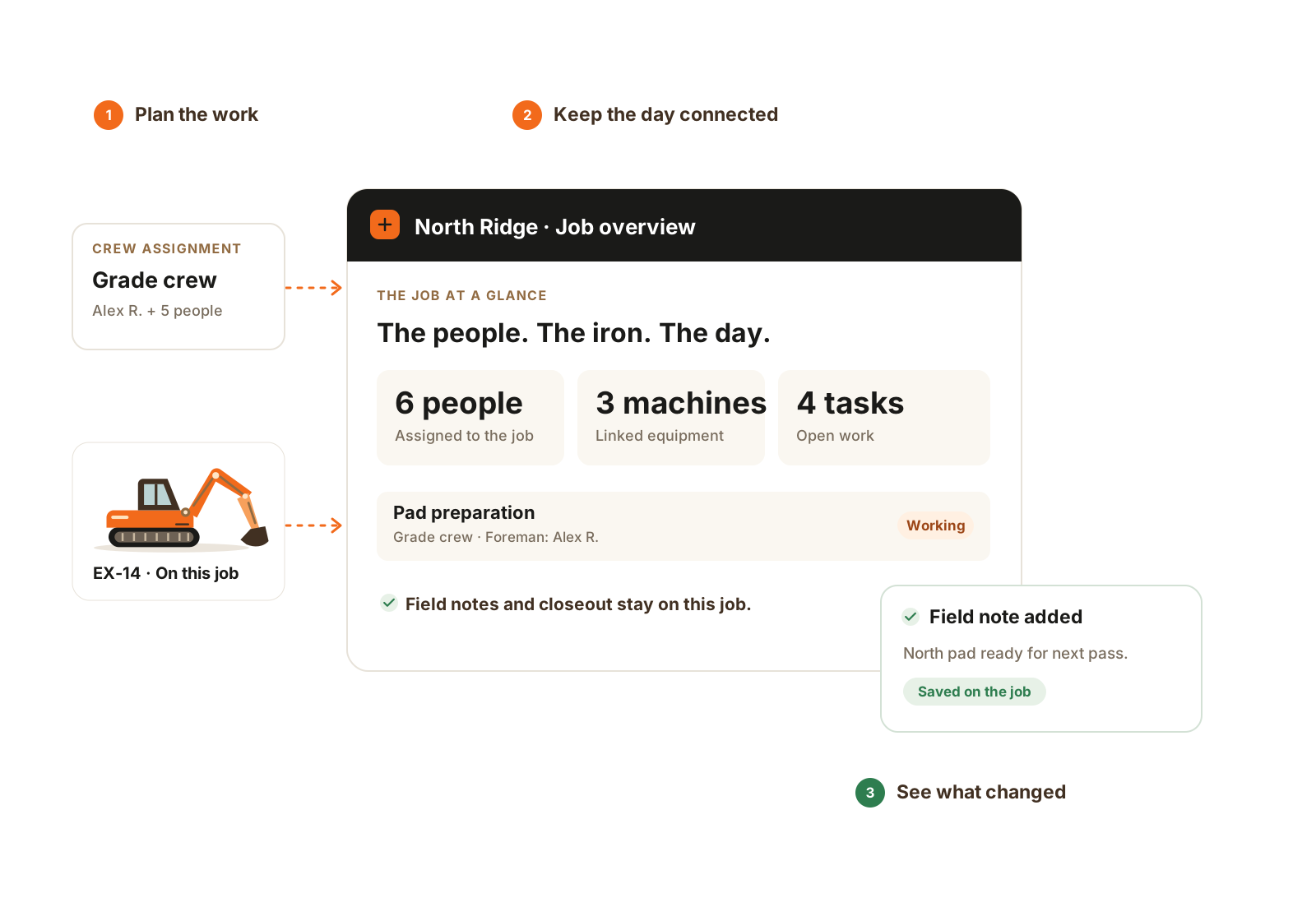
The crew, equipment, tasks, and field record stay connected to the same job.
Your daily records
Keep the customer, crew, machines, and tasks on the same job.
Record hours from the field and keep separate entries when someone changes jobs.
See the assigned operator, job, and recorded machine hours.
Review photos, completed work, delays, and what the next shift needs to know.
Keep the job, its time, equipment, and field records together so the office can work from what happened.
The details that matter
CutFill connects the plan with what people actually enter. Start with the job and follow the people, equipment, and field evidence behind it.
Before you choose
Owner-operators and small to mid-size excavation, dirt work, and grading companies managing jobs, crews, and equipment.
Core Crew includes 1 office, 1 foreman, and 3 field worker seats. Growing Operation and Full Operations cover larger role mixes and more workflows. Compare the subscription offerings on the Pricing page.
Keep those tools. CutFill records the daily work: assignments, hours, equipment, notes, and closeout. Estimates, invoices, payments, and payroll stay in your existing systems.
Previously loaded work and supported time, attendance, task, note, and closeout updates can be used offline. The phone needs a connection for new assignments and successful sync before the office sees an update. Ask us to demonstrate your remote-site workflow.
Yes, with Material Tracking on any base plan, using existing seats. Set up job orders, record material tickets or water readings, and review the quantities and supporting record. Truck dispatch and supplier invoicing remain separate.
Find your starting point
See CutFill in use
Bring a job, your crew list, and the updates you chase today. We’ll show the relevant workflows and confirm the plan and seats you need.