Status and ownership
Keep the customer, location, owner, and current work in view.
 Request demo

Job management
Keep the customer, crew, equipment, tasks, job time, and field notes together. Review an active job without piecing it back together from separate lists.
Job workspace
Keep the customer, location, owner, and current work in view.
Assign the next step and record progress or blockers.
See which machines and operators are assigned.
Find photos, comments, plans, and closeout with the job.
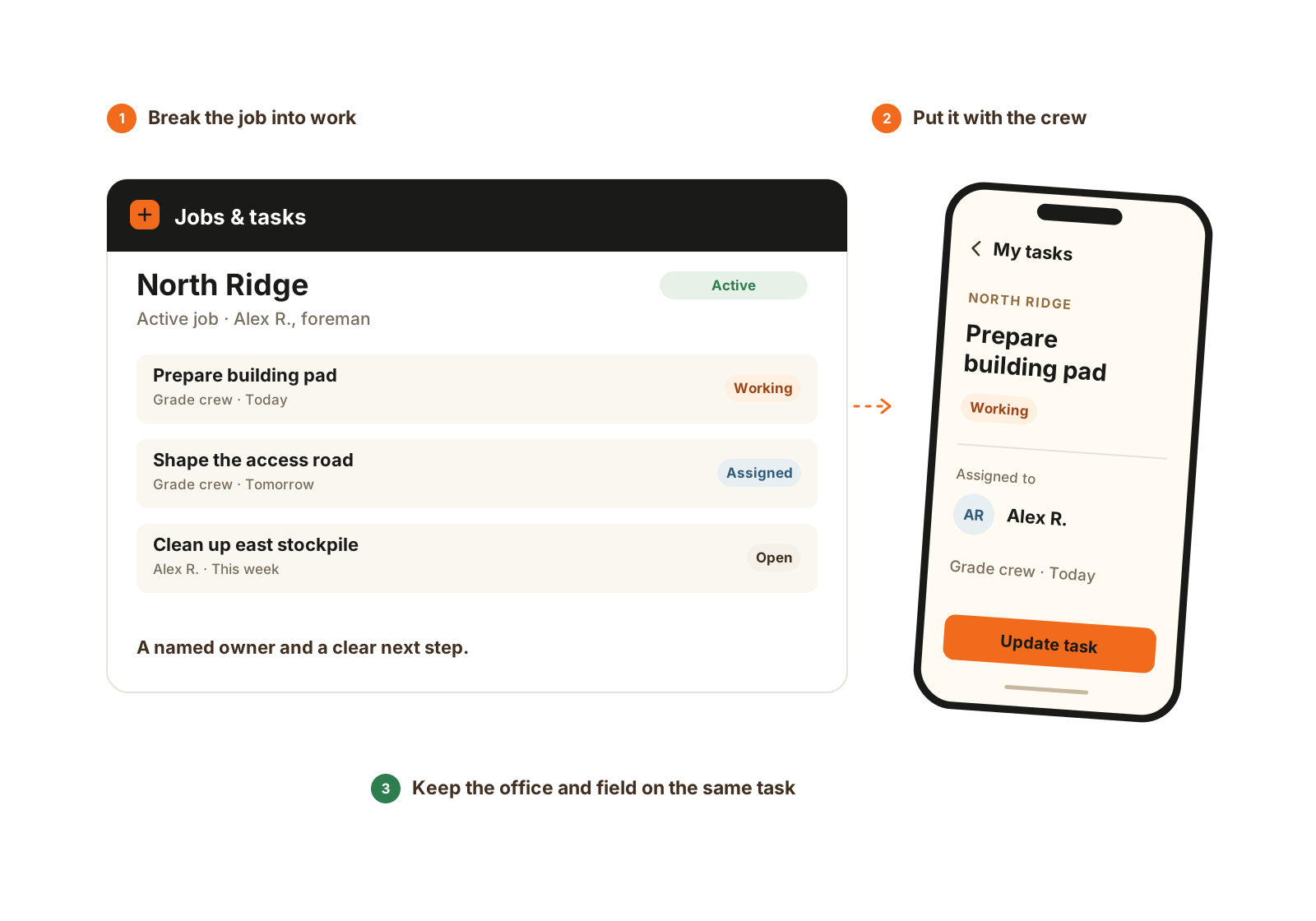
Give the work a name, an owner, and a place in the crew’s day.
Worked example
Illustrative workflow for a driveway, pad, trench, or drainage job. The job stays the common reference as the people and work change.
Create the job, link the relevant customer and location, and assign people, machines, and tasks. Keep the scope context with that job.
Use time entries for hours and job notes, photos, and task updates for what happened. The job can stay open across several days.
When scope, crew, or equipment changes, leave the supporting note and keep time on the right job. Add Material Tracking if supplier tickets or water usage are part of the record you need.
Use the job-day closeout and supporting records to check what finished and what remains. Prepare estimates, invoices, and payments in your existing business tools.
Job context
Yes. Core Crew includes one office, one foreman, and three field worker seats, with jobs, tasks, assignments, time, notes, and simple closeout. Included seats are role-specific.
No. Keep one active job across its working days, with the time, updates, and date-specific closeouts underneath it. Separate jobs make sense when your company treats the work as a separate job, not simply because another shift started.
Related pages
See CutFill in use
We’ll show how its assignments, hours, equipment, and notes stay connected.