Request the equipment or move
A foreman can mark assigned-job equipment ready to move, request an equipment type, or create a move request. The office can also queue a move directly.
 Request demo
Lowboy Dispatch
Connect foreman demand, office scheduling and assignment, driver progress, and an updated equipment location on completion.
What it does
Lowboy Dispatch connects foreman requests, office scheduling and assignment, and driver move execution on web and mobile.
Keep the machine, pickup and dropoff stops, driver, tractor, trailer, and move history on one request. Lowboy includes one driver seat. It is included on Full Operations and available as an add-on on Core Crew and Growing Operation.
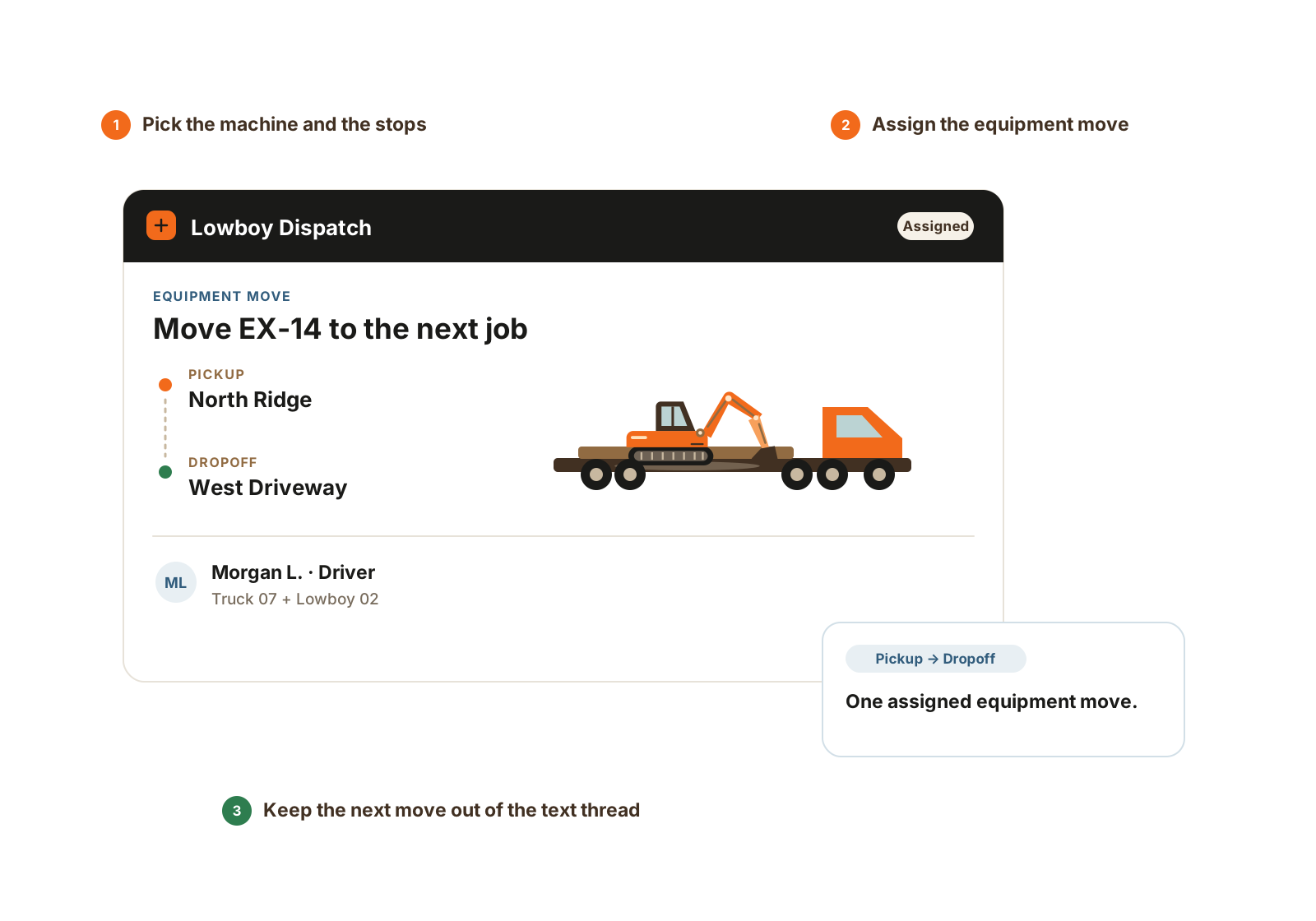
The requested machine, driver, pickup, and dropoff stay together. State changes require a connection.
Equipment moves
A foreman can mark assigned-job equipment ready to move, request an equipment type, or create a move request. The office can also queue a move directly.
The office chooses the equipment, pickup and dropoff, need-by time, driver, and optional tractor/trailer. Stops can be jobs, company business locations, or one-off addresses.
The assigned driver progresses through accepted, en route, picked up, dropped off, and completed on web or mobile. State changes need a connection and are not queued offline.
Completing the move updates the equipment’s job or business location and appends location history. Notes stay with move events; move-photo support is a follow-up.
The details that matter
Keep the requested equipment, readiness, driver responsibility, and completed move connected so the office and field can follow the same record.
Questions
Yes. Lowboy Dispatch is included on Full Operations and available as an add-on on Core Crew and Growing Operation. The module includes one driver seat.
Lowboy Dispatch is included on Full Operations and available as an add-on on Core Crew and Growing Operation. The module includes one driver seat, with additional driver seats available as needed.
No. The scope is moving equipment. Material orders and tickets use Material Tracking; trucking route optimization is outside this module.
Explore further
Walkthrough
Bring an equipment move from your normal week. We’ll show the request, office assignment, driver stages, and completed equipment-location record.
We’ll use these details to respond and focus the walkthrough on your operation.