Crew and machines
Keep assignments and equipment context with the job.
 Request demo
Grading contractor software
Assign grading work, record field changes, and review the day’s work. Add named map areas and detailed closeout with Expanded Jobs.
Grade operations
Keep assignments and equipment context with the job.
Use Expanded Jobs to name cut, fill, stockpile, and yard areas.
Record progress, notes, photos, and blockers where the work happens.
Keep one job-day record; use Expanded Jobs for detailed area and count rules.
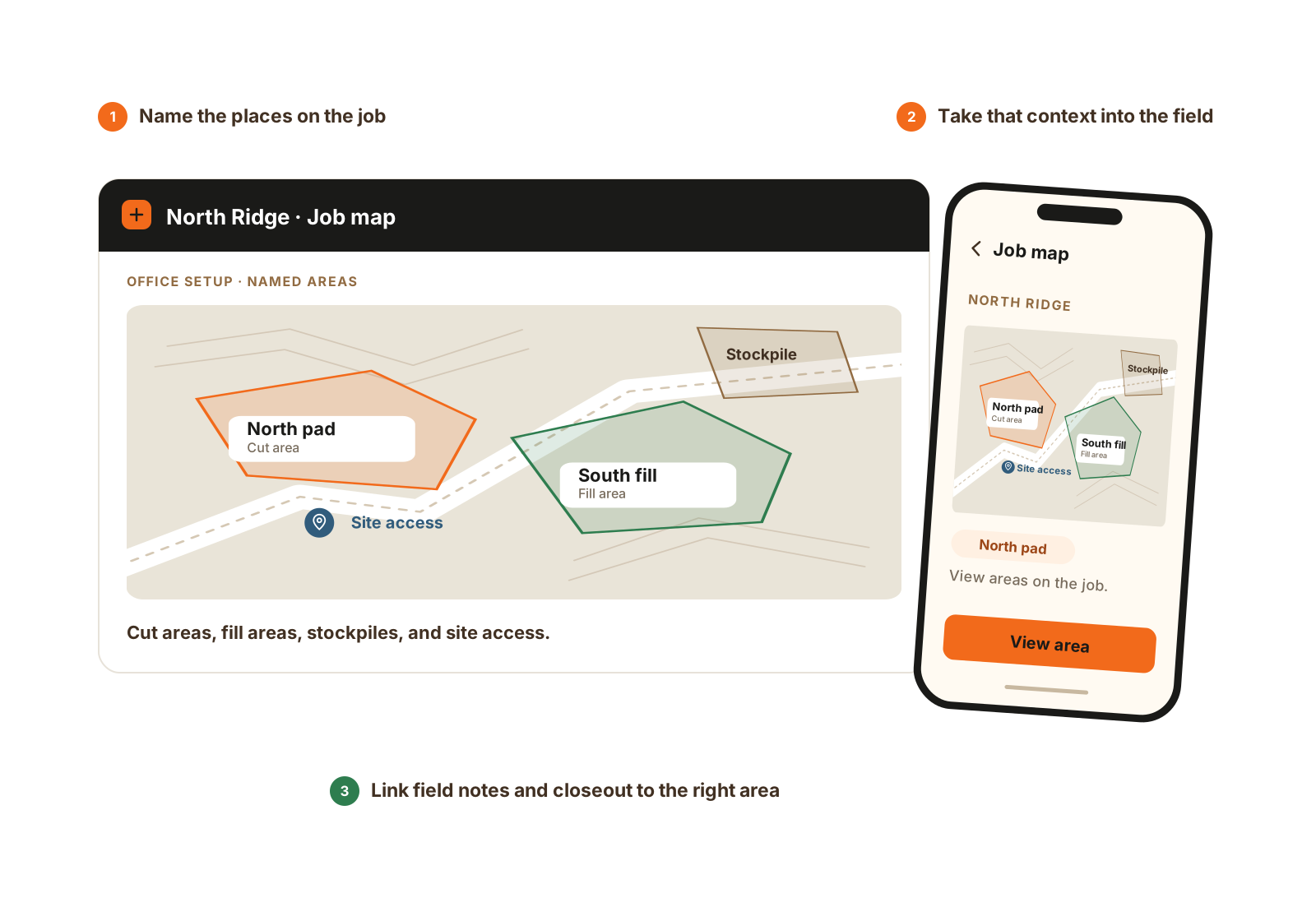
Name the areas in the office and view the same places in the field. Job maps and area-based reporting use Expanded Jobs.
Worked example
Illustrative grading workflow with Expanded Jobs for named areas and detailed closeout. It records field-reported work, rather than producing a survey or machine-control result.
Set up the job’s cut, fill, stockpile, yard, or finish areas so the office and foreman can refer to the same place.
Keep the crew, machines, and tasks on the job. The foreman works from that assignment in CutFill Field.
Use separate closeout work lines when a person changes work or area. A haul line can record one cut and split its loads across fills; finish work can keep its own context.
Read the recorded counts, notes, and remaining work before planning tomorrow. These entries do not certify quantities or automatically establish percent complete.
Grade operations fit
No. Those tools guide and verify the physical work. CutFill coordinates assignments and records the day.
Yes. Add Expanded Jobs to Core Crew, or use it as part of Growing and Full. It adds maps, named areas, weather, and advanced closeout.
Yes. Detailed closeout with Expanded Jobs supports multiple work lines under a person, including cut/fill or finish context and applicable counts. The job-day remains one primary closeout, rather than a separate report from every operator.
Closeout holds entered counts and units. It is not a survey, takeoff model, or certified volume measurement. Review how your operation converts counts to quantities before using them for progress or payment decisions.
See CutFill in use
Bring how you name areas, assign machines, and collect the day’s counts.