Crew assignments
Assign people to jobs and give foremen the crew, tasks, and equipment for their work.
 Request demo

Excavation contractor software
Assign people and machines across jobs, record hours in CutFill Field, and review foreman updates and closeout in the office. Add Fleet Maintenance when you need the shop in the same system.
Across your crews
A machine moves, an operator switches jobs, or rain stops a crew. Keep the assignments, hours, and field notes with the job so the office can review the change.
Owners and office users work on the web. Foremen and workers record their part of the day in CutFill Field.

How excavation companies are organized
Assign people to jobs and give foremen the crew, tasks, and equipment for their work.
Workers clock in on their phones. A job switch closes one time segment and starts the next.
Record attendance exceptions and one foreman closeout for the job-day.
Keep the operator, assigned job, and recorded meter with each machine. Lowboy Dispatch adds ready-to-move requests and driver handoffs.
Illustrative example using CutFill assignments, time, notes, and closeout.
A grade crew starts on a pad; a second crew starts on drainage.
An operator moves to drainage after lunch and switches job time. The foreman adds the field note.
Each foreman records the work, people, remaining blockers, and applicable counts.
After updates sync, the office reviews the records before making the next assignments.
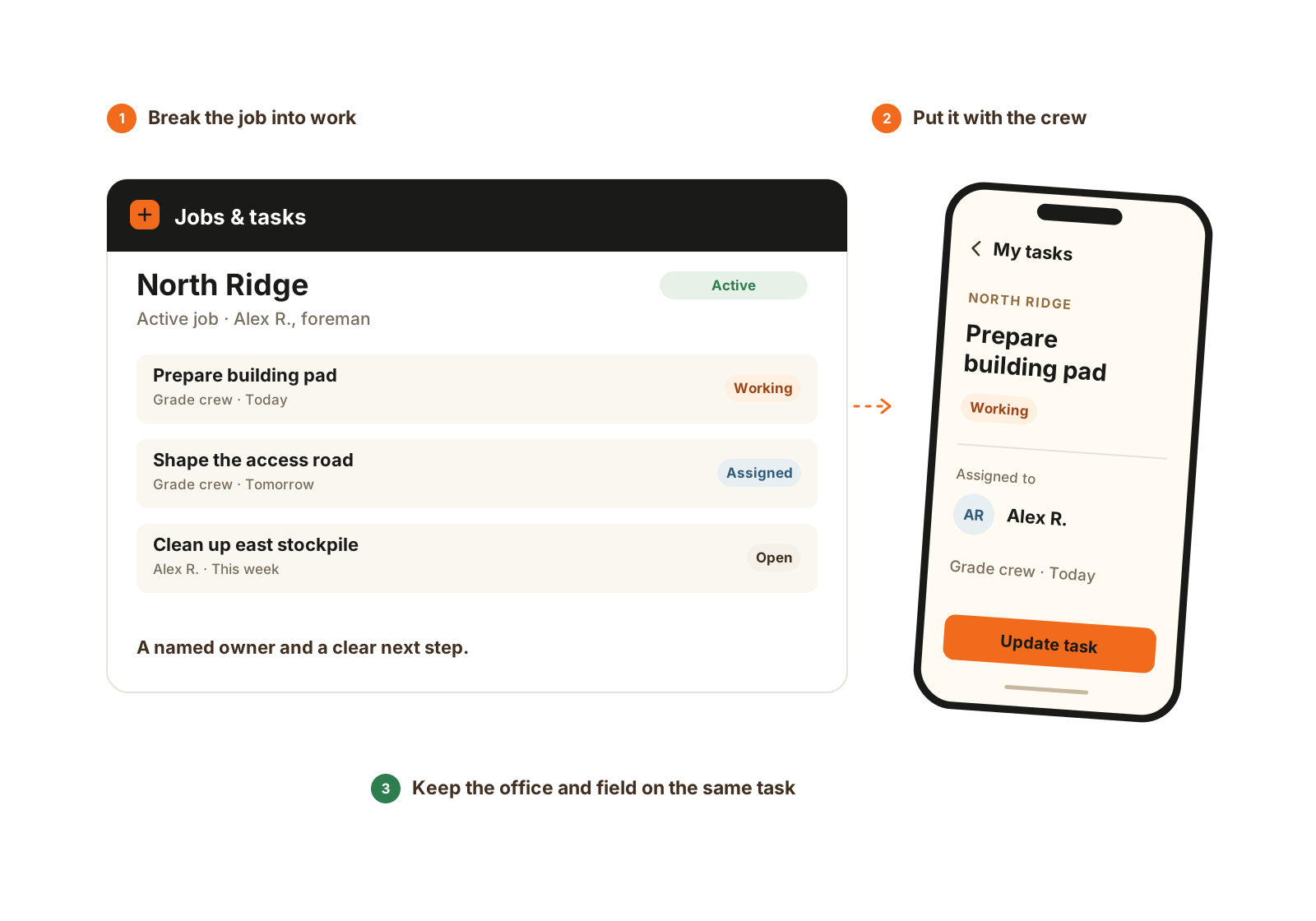
Give the work a name, an owner, and a place in the crew’s day.
Field to office
Foremen manage assigned jobs, crews, equipment, and closeout. Workers record their own time and task updates.
Supported changes can save on the phone without service. The office receives them after reconnection and successful sync.
Fleet Maintenance add-on
Fleet Maintenance connects field issues, assigned repair work, routine visits, and machine history. It includes one mechanic or oiler seat.
Report the problem against the machine and job.
Give the issue an owner and track the work.
Keep completed service and recorded machine hours together.
Use the shop workflow with work attributed to the person who did it.
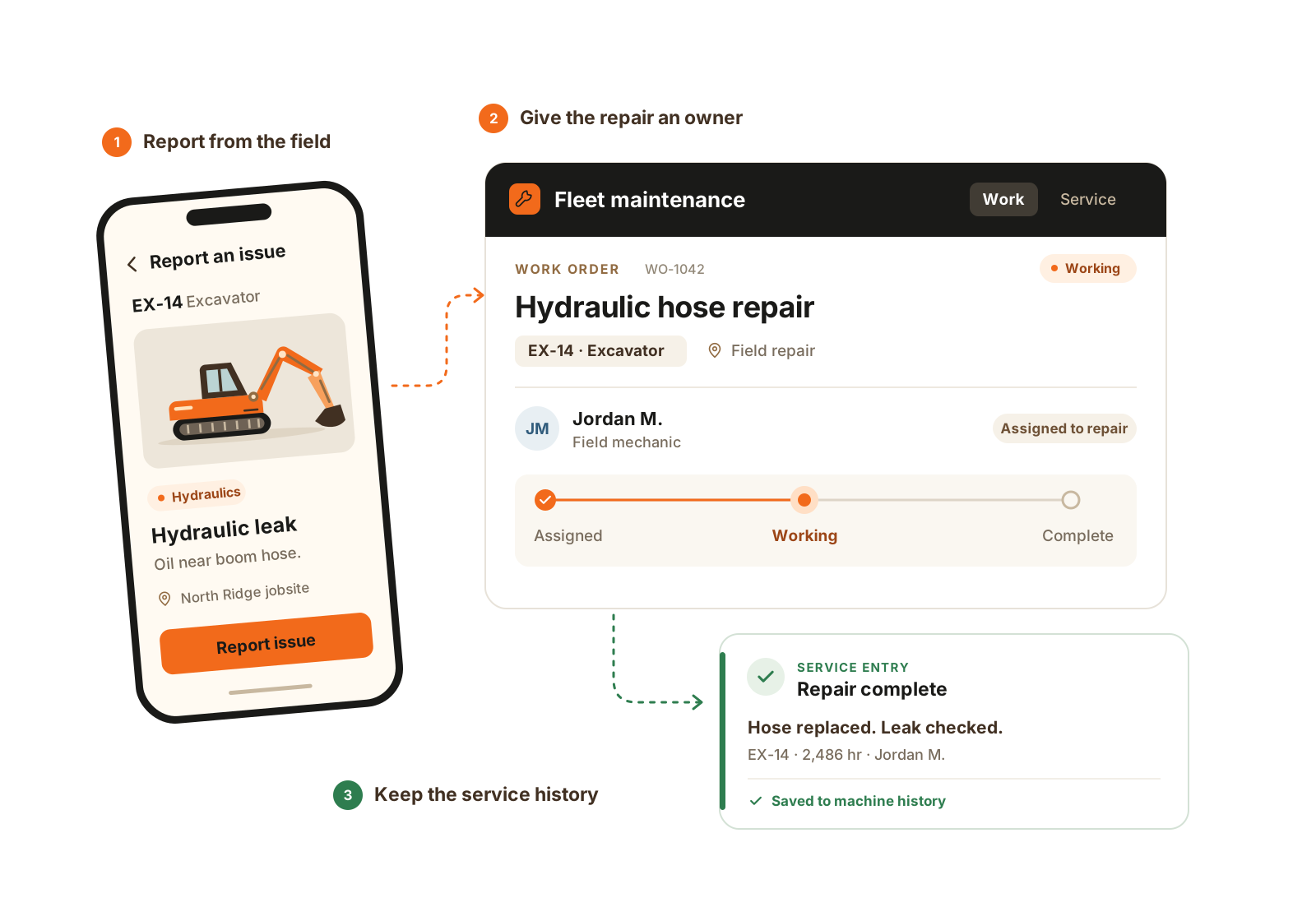
A field report becomes owned repair work, then a service record that stays with the machine.
The details that matter
For a company running several crews, the value is in the detail behind a changed plan. These are practical questions to work through in the job record, rather than promises of an automatic exception dashboard.
Questions
Each person clocks in through CutFill Field. Switching jobs closes the current entry and starts the next; company time remains separate.
Yes. Foremen record attendance exceptions and daily closeout for their assigned jobs and crews. Detailed area and count rules require Expanded Jobs.
Previously loaded work stays available. Supported time, attendance, task, note, and closeout updates save locally and reach the office after successful sync.
Fleet Maintenance lets eligible foremen report issues and add field context. Mechanics and oilers use specialized seats; one is included with the module.
There is no current automatic payroll handoff. Keep your existing payroll process.
Yes. A job switch closes the current time segment and starts the next. Record the assignment change and relevant field context as well, so the office can understand the split instead of relying on the total hours alone.
Bring two active jobs, your crew and equipment list, and one recent change that was hard to communicate. Follow the assignment, job switch, foreman update, closeout, and office review, then price the actual office, foreman, worker, and specialist seat mix.
Related pages
Walkthrough
Bring one active job, your crew board, and the equipment list. We’ll show assignments, field updates, and office review, then confirm your seat mix and price.
We’ll use these details to respond and focus the walkthrough on your operation.