Jobs and assignments
Keep the customer, crew, machines, and tasks on the same job.
 Request demo

Earthwork software
Your takeoff defines the quantities. CutFill keeps assignments, machines, job time, and foreman closeout connected while the work is underway.
Where it fits
Keep the active job, crew, tasks, and machines together.
Model quantities and prepare the bid.
Record job time, field notes, changes, and closeout.
Use your plans and quantity model as the reference.
Review what was recorded on the job; it is not a surveyed volume certification.
Review the estimate in your estimating tool.
Operating layer
Keep the customer, crew, machines, and tasks on the same job.
Record hours from the field and keep separate entries when someone changes jobs.
See the assigned operator, job, and recorded machine hours.
Review photos, completed work, delays, and what the next shift needs to know.
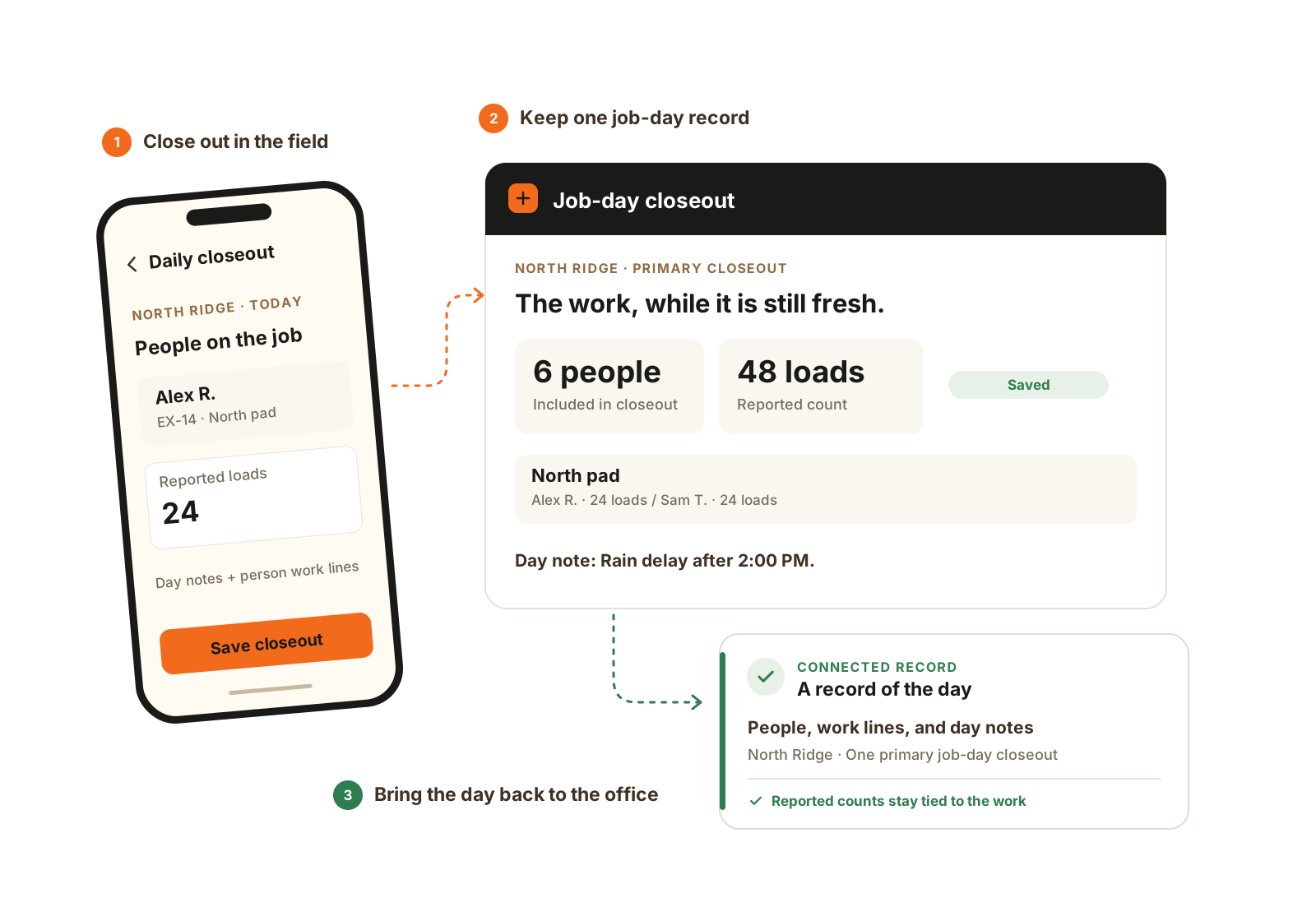
One foreman records the job-day, with the people, work, and notes underneath it. Detailed counts and area rules use Expanded Jobs.
The details that matter
The bid may start with quantities, but the operating day adds people, equipment, material movement, and changes. CutFill keeps that daily evidence with the job.
No. Use your takeoff, survey, and machine-control tools for those tasks. CutFill manages the crews, machines, job time, field records, material tickets, and closeout around active earthwork.
Foreman closeout records onsite work and applicable counts. Material Tracking records imported or exported orders and tickets. A count of onsite water fills or haul cycles is not automatically a supplier delivery quantity.
See CutFill in use
Bring the plan your crew works from and the field records your office needs.