

Foreman workflow guide
Close the day while the work is still fresh.
Record who worked, what happened, the applicable counts, and what the next shift needs to know.
By CutFill · Updated
One job-day closeout, with the people and work underneath it
One foreman records the job-day closeout, with people, work segments, counts, and notes underneath it. Core includes simple closeout; detailed area and count rules require Expanded Jobs.
The closeout records operations. It does not approve payroll, create invoices, certify quantities, or replace required inspections.
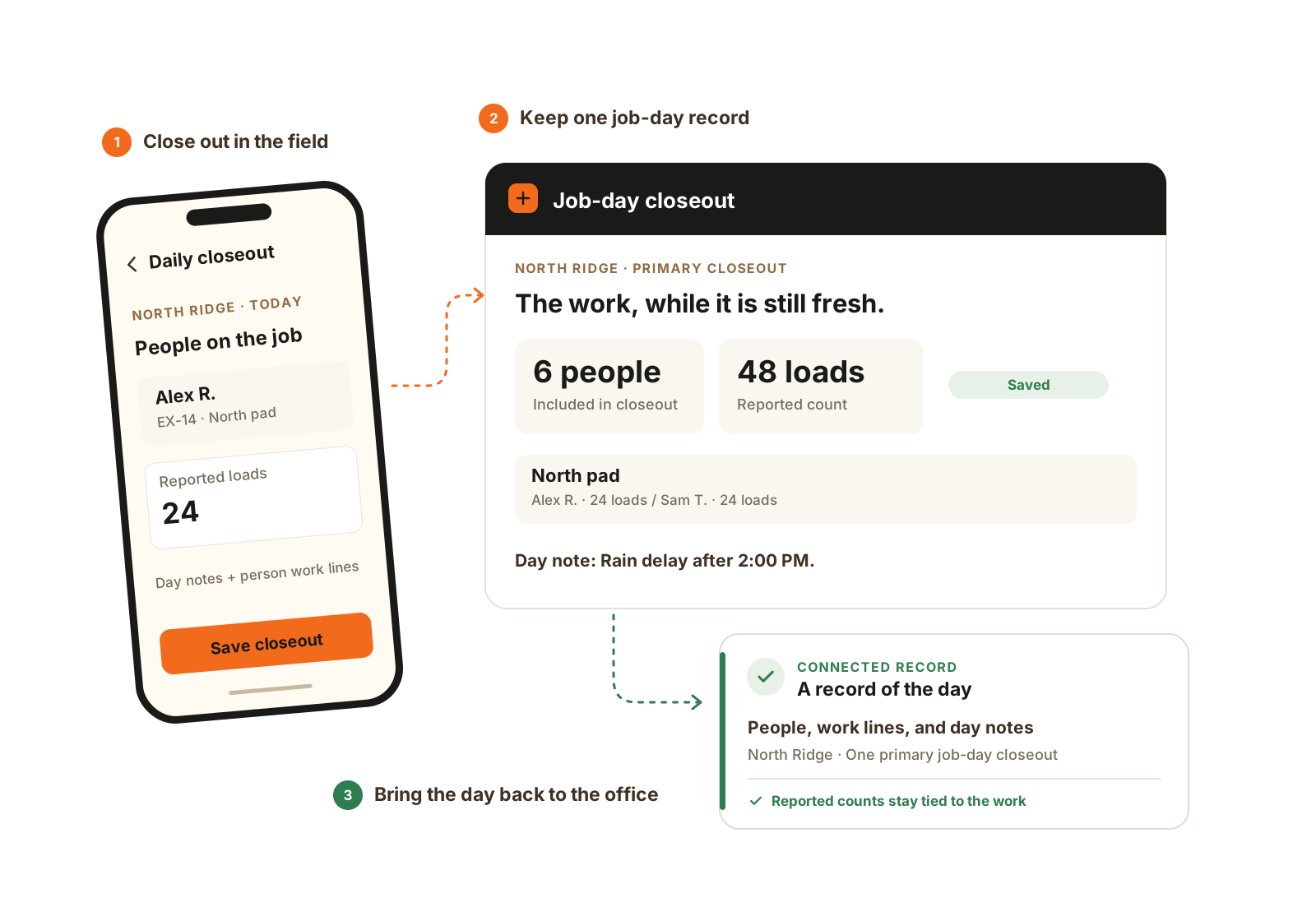
One foreman records the job-day, with the people, work, and notes underneath it. Detailed counts and area rules use Expanded Jobs.
- Review the people on the job.
- Record their work and day notes.
- Keep one primary job-day closeout.
A practical end-of-day checklist
Check the job and date
Note any people or machines that moved elsewhere.
Review people and time
Record attendance exceptions and flag time corrections for review.
Record work and counts
Keep units clear and explain partial work or added scope.
Leave the next shift context
Record blockers and equipment needs. Route machine issues through Fleet Maintenance when enabled.
Save and confirm sync
Resolve failed updates so the office can review the job-day.
Example: a pad job with a rain delay
Illustrative example: the crew finishes part of a pad, stops for rain, and moves a machine. Closeout records the completed work and delay; time records reflect the job switch.
The office reviews the remaining work and tomorrow’s machine assignment from the same job.
- What finished and what remains?
- Who worked and who moved jobs?
- Which counts and units apply?
- Which machine or task needs attention?
- Did the record reach the office?
The details that matter
Keep the totals tied to the work that created them.
Detailed closeout with Expanded Jobs gives the day’s counts a person and work context. The same principles are useful when reviewing any daily field report.
- One primary record
- Use one primary closeout per job and business-timezone date. Additional closeouts are supplemental, so the office can distinguish the main day record from a later addition.
- A split day needs split lines
- One person can have more than one work line. In detailed closeout, a haul line belongs to one cut and can split its loads across fills. Another cut uses another line; finish work can have its own context.
- Keep different quantities separate
- Closeout counts describe onsite work. Imported material tickets, delivered-water gallons, and hydrant-meter usage are separate Material Tracking records. Do not add unlike units or treat a water-truck fill count as delivered gallons.
- A count needs interpretation
- Keep the unit and note that explain what was counted. Field-entered counts are not certified survey quantities, payroll approval, or proof that every cost input is complete.
Practical questions before you choose.
What happens when a person works in two areas?
Use more than one work line under that person in detailed closeout. Keep the cut/fill or finish context and applicable count on each line, rather than changing crew membership to represent the production split.
Does the closeout replace timesheets or equipment daily records?
No. Time entries record labor time; equipment daily records capture machine entries; closeout records the foreman’s account of the job-day. Review them together when a number needs explanation.